

Passkeys in production: what WebAuthn changes—and what it does not
Understand Authdog passkey ceremonies, security checks, recovery design, and rollout work before replacing passwords.

Authdog Team
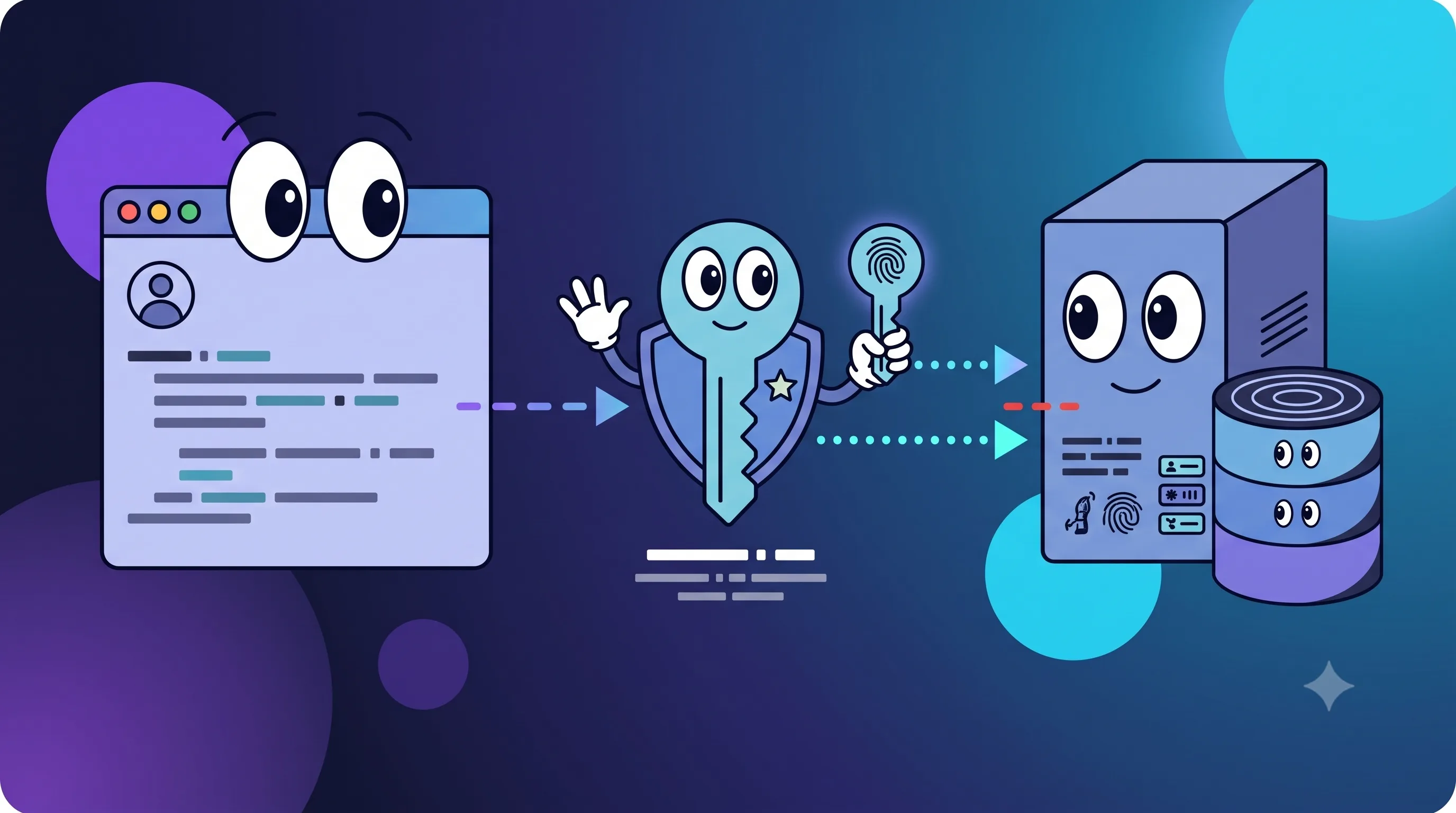
A passkey replaces the shared password with a public-key credential. The authenticator keeps the private key; the server only ever sees the public half, which is all it needs to verify a signature. The user unlocks the authenticator with a device PIN, fingerprint, face scan, or security-key gesture, and that's the whole interaction.
That gets rid of password phishing and credential stuffing on the normal sign-in path, which is genuinely great. What it doesn't get rid of is sessions, account recovery, authorization, or the operational testing that any authentication system still needs.
Two ceremonies, two short-lived challenges
WebAuthn splits registration and authentication into separate ceremonies, and it's worth walking through both.
During registration:
- An already-authenticated user asks Authdog to begin registration.
- Authdog creates a short-lived challenge, scoped to the environment and the user.
- The browser calls
navigator.credentials.create(). - The authenticator generates a key pair and signs the registration response.
- Authdog verifies that response and stores the credential's public data.
During authentication:
- The browser requests a sign-in challenge.
- Authdog creates a challenge for the environment.
- The browser calls
navigator.credentials.get(). - The authenticator asks for local user verification and signs the challenge.
- Authdog verifies the response, then creates an application session.
The challenge itself has to be unpredictable, expire quickly, and get consumed exactly once — otherwise a captured response could turn back into a reusable password, which defeats the entire point.
What Authdog actually checks
On the verification side, Authdog is checking:
- the challenge value and its expiration
- that the challenge hasn't already been consumed
- the exact relying-party origin
- the relying-party ID hash
- the user-presence and user-verification flags
- credential ownership
- the ES256 or RS256 signature
- the authenticator's signature counter
Registration doesn't request attestation — Authdog can verify the whole ceremony without collecting a device-identifying attestation statement, which keeps things simpler and more private.
Credentials and challenges stay isolated by environment, and the relying-party ID is derived from your identity host. That binds a passkey to that specific site rather than to some other unrelated domain — which means your custom identity domain is an architecture decision, not a cosmetic one. Change the RP ID later and existing credentials can stop working on the new host, so it's worth settling on your production identity domain before you roll passkeys out broadly.
Discoverable credentials make sign-in feel lighter
Authdog's authentication flow uses discoverable credentials, so the browser and authenticator can surface the available account without asking the user to type their email first. That unlocks a genuinely lighter sign-in flow:
Open sign-in → choose passkey → verify locally → receive sessionJust be careful with the marketing copy here. A platform authenticator may sync a credential across a user's device ecosystem, but a roaming security key stays physically bound to that one key. Don't promise every passkey magically shows up on every device — for a lot of users, it won't.
A passkey proves authentication, not a session
A successful WebAuthn ceremony proves control of a credential at one specific moment. Your application still needs a session for everything that happens after that moment.
Keep validating the Authdog session on every protected backend request, and keep enforcing organization context, roles, and resource permissions server-side. A passkey only answers "can this user authenticate?" It has nothing to say about:
- which organization is currently active,
- whether this user can edit an invoice,
- whether the session has since been revoked,
- or whether the request is allowed to touch another tenant's data.
Those calls still belong to your session and authorization layers, exactly as they did before passkeys entered the picture.
Recovery is part of the feature, not an afterthought
Passkeys cut down on forgotten-password support tickets — but only if losing a device doesn't lock someone out entirely. Plan for:
- more than one registered authenticator,
- a verified fallback sign-in or recovery path,
- a credential list with recognizable labels,
- requiring recent authentication before letting someone delete a credential,
- protecting against deleting the last usable credential,
- a support workflow that can't be socially engineered into a bypass.
Registration and credential management both need a validated session behind them. Don't expose "add a passkey" off an email link or client-only state without fresh server-side authentication first — that's exactly the kind of shortcut that turns into an account-takeover path.
And recovery that's weaker than the passkey itself becomes the attacker's preferred route in. Measure how often recovery gets used, and put high-risk changes through audit logging.
Roll out without locking anyone out
Keep at least one non-passkey method alive during the migration. Start with optional enrollment for internal users, then move to controlled cohorts once that's stable.
A test matrix that's actually worth running:
| Scenario | Expected behavior |
|---|---|
| Platform authenticator | Registration and sign-in complete |
| Roaming security key | Correct user verification and retry behavior |
| Synced passkey | Credential works wherever the provider makes it available |
| User cancels prompt | Clear, recoverable state; no partial credential |
| Wrong origin | Server rejects the response |
| Expired or reused challenge | Server rejects the response |
| Tampered signature | Server rejects the response |
| Lost device | A verified recovery path is still available |
| Deleted credential | Existing sessions follow your configured session policy |
Run all of this on production-like HTTPS domains — WebAuthn's origin rules make local and deployed behavior meaningfully different, and testing only on localhost will miss real problems.
Write honest prompts
Don't put a generic "Continue" button in front of a biometric or security-key prompt. Tell the person:
- why a passkey is being requested,
- whether they're creating one or using an existing one,
- what account action follows,
- and how to cancel or recover if something goes wrong.
And don't imply biometric data ever reaches Authdog — it doesn't. The local authenticator handles user verification on-device; the WebAuthn response only carries signed protocol data, never a fingerprint or a face image.
Operate passkeys like any other auth system
Track failures by stage, without logging challenge material or any sensitive credential data. Useful buckets include unsupported authenticator, user cancellation, origin mismatch, expired challenge, verification failure, and unknown credential. Keep an eye on audit events through a staged rollout, and keep development and production credentials separated by using distinct Authdog environments and identity hosts.
Passkeys make the user's job simpler precisely because the protocol pushes complexity into the browser, the authenticator, and the verifier instead. Being ready for production means understanding that complexity — not pretending it isn't there.
From here: enable the feature in your Authdog environment, read the passkey documentation, and pair the rollout with your session and MFA policy.